Download Douyin, TikTok and Bilibili videos right in Chrome
Open a video page and click the LingoReup Grabber icon: a side panel detects the title, author, duration and every available quality. Pick one and save it as MP4.
Grabber runs in Chrome on a computer — open this page on your computer to install it.
v0.1.1 · ZIP · 321 KB · Manual install — does not update automatically. The Chrome Web Store version is awaiting review.
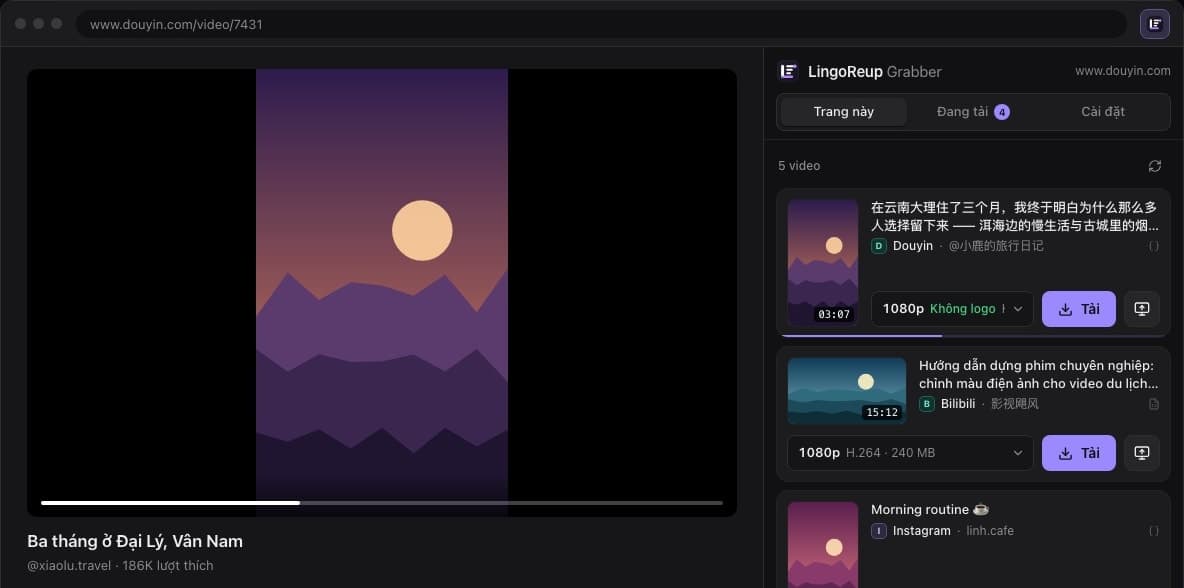
Built-in support for 14 platforms
Each platform has its own detector, so you get the right title, author and qualities.
- Douyin
- TikTok
- Bilibili
- Kuaishou
- Xiaohongshu
- Threads
- X
- Vimeo
- Dailymotion
Other sites: Grabber picks up HLS, DASH or MP4 streams while the video is playing.
Three steps, without leaving the page
No copying links into another website, no extra software to open.
- 1
Open a video page
Watch the video in Chrome as usual.
- 2
Click the icon or press Alt+L
A side panel opens and lists the videos it found.
- 3
Pick a quality, save MP4
Files go to your Downloads folder, or wherever you choose.
Fast downloads, files that just work
What a video downloader should get right.
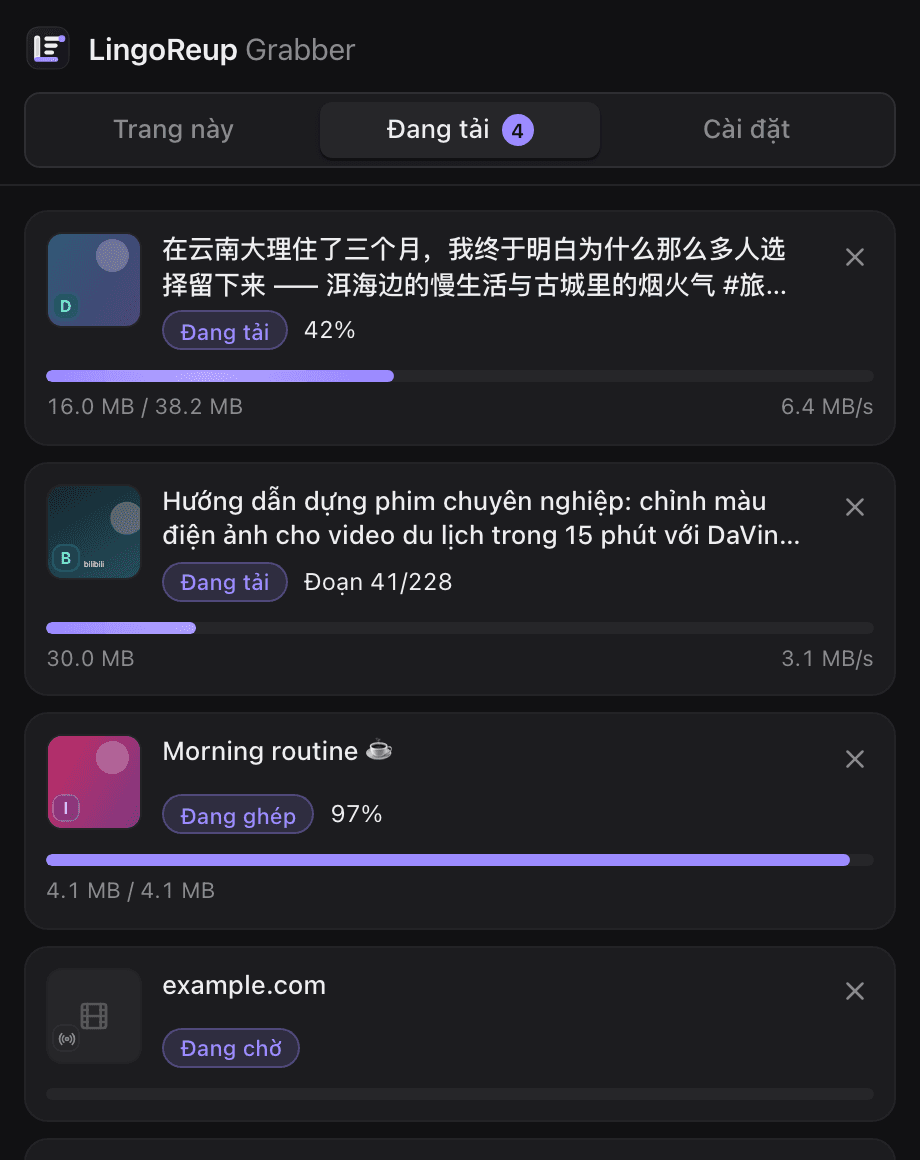
Download several videos at once
Queue as many videos as you like. Each one has its own progress, speed, cancel and retry.
Every file checked after download
Grabber checks that each file has video, has audio and runs the full length. Failures are reported with a reason — a broken file is never silently saved.
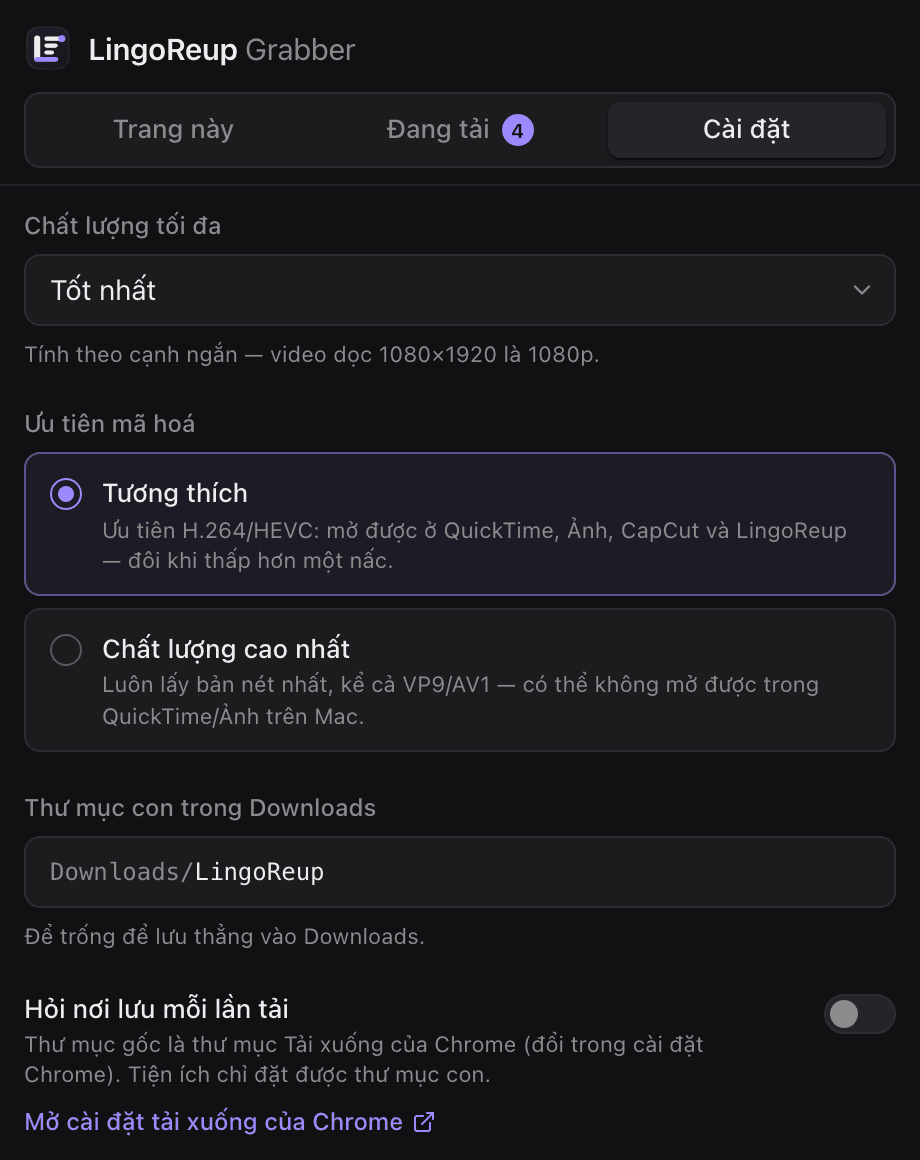
Plays on any computer
Compatibility mode prefers H.264 so videos open in QuickTime, Photos, CapCut and LingoReup. Need the sharpest copy? Switch to Highest quality.
Saved where you want
Save into a subfolder of Downloads, or have Grabber ask where to save every time.
Respects protected content
DRM-protected videos are detected and not downloaded.
Saved it? Send it to LingoReup
One click moves the video into the LingoReup desktop app — translate, dub, subtitle, then publish.
- Save with Grabber
- Send to LingoReup
- Translate, dub, subtitle
Requires LingoReup 0.7.1 or later, signed in. No app yet? Grabber opens the download page for you.
Get the LingoReup app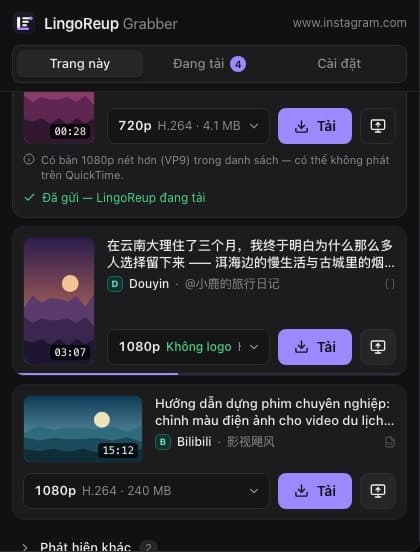
No servers. No data collection.
Everything runs inside your browser. Grabber has no servers of its own and sends no browsing history or any other data anywhere. When you click "Send to LingoReup", the extension only talks to the app on your own computer at 127.0.0.1.
Read the privacy policyFrequently asked questions
Good to know before you install LingoReup Grabber.
Install Grabber and start saving videos
Free, in English and Vietnamese, set up in a few minutes.
Grabber runs in Chrome on a computer — open this page on your computer to install it.
v0.1.1 · ZIP · 321 KB · Manual install — does not update automatically. The Chrome Web Store version is awaiting review.